SafePair Manual Trader Pro MultiPairs
SafePair Manual Trader Pro MultiPairs is an advanced MetaTrader 5 Expert Advisor designed to support professional manual trading, semi-automatic trade management, multi-symbol monitoring, risk planning, and intelligent market analysis from one powerful dashboard.
This EA is built for traders who want fast manual execution, structured risk control, smart trade assistance, and clear on-chart decision support without relying on random signals or slow dashboard behavior
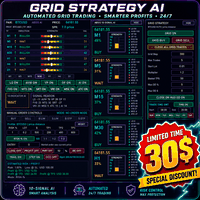
The EA includes a professional Daily Mimic Panel that allows the user to manage trades, monitor market conditions, control key trading functions, and receive intelligent recommendations directly from the chart.
Advanced EA Intelligence Engine
The EA now includes an advanced market intelligence engine that analyzes live market conditions using a weighted combination of:
- Trend direction
- Multi-timeframe confirmation
- Price action behavior
- Volatility condition
- Momentum strength
- Support and resistance zones
- Liquidity behavior
- Fair Value Gap confirmation
- Spread condition
- Session timing
- Trade safety filters
- Market stability score
Based on this analysis, the EA displays a clear recommendation at the top of the Daily Mimic Panel:
Recommended Action: BUY
Recommended Action: SELL
Recommended Action: WAIT
The system is designed to avoid weak or random signals. If the market is unclear, unstable, risky, ranging without confirmation, affected by news, or below the required score threshold, the EA will display WAIT instead of forcing a buy or sell recommendation.
Performance-Optimized Architecture
The EA has been optimized so that manual actions remain fast and responsive. Heavy calculations, indicator scanning, smart market analysis, dashboard refresh, and chart visual updates are separated from manual trade execution.
This means pressing:
- Buy
- Sell
- Close
- Auto Trading
- Dashboard switches
- OCO controls
- SL/TP controls
should respond immediately without unnecessary delay.
Heavy analysis is controlled through timer-based refresh intervals instead of being executed on every tick or every button click. This helps keep the EA stable, lightweight, and responsive during live trading.
Smart Trade Management Features
The EA includes advanced trade management tools such as:
- Manual Buy and Sell execution
- Close trade controls
- Auto Trading ON/OFF control
- Force Buy and Force Sell override options
- Risk-based lot calculation
- Risk percentage control
- Risk USD control
- TP1, TP2, TP3, TP4, and TP5 management
- SL-only modification mode
- Automatic recalculation of remaining risk after SL adjustment
- SL Change Only switch that allows changing stop loss without modifying TP levels
- Drag-and-drop style trade planning support
- Multi-target trade planning
The SL Change Only function has been improved so the user can adjust only the stop loss while keeping all TP levels unchanged. The EA then recalculates the remaining risk automatically based on either risk percentage or fixed risk amount.
OCO Pending Order Assistant
The EA includes an OCO Pending Order Assistant that allows the user to place a Buy Stop and Sell Stop around a range. When one pending order is triggered, the opposite pending order is automatically cancelled.
This is useful for breakout trading and controlled range-break setups.
The EA also supports pending order expiry rules, including expiry after a selected number of candles, session end, or when the signal score drops below the required threshold.
Smart Market Analysis Tools
The EA includes multiple advanced analysis modules to help improve trade decision quality:
- Fair Value Gap detection
- FVG quality scoring
- FVG lifecycle tracking
- Liquidity sweep detection
- Multi-timeframe confirmation engine
- Fakeout risk detection
- Volatility spike protection
- Support and resistance auto-mapping
- Breakout level detection
- Retest zone detection
- Liquidity high and liquidity low mapping
- Trendline auto-mapping
- Market regime detection
- Range, compression, breakout, trend, fakeout, and unstable market classification
These tools are used to support decision-making and improve trade filtering instead of blindly forcing entries.
Volatility and Spike Protection
The EA includes enhanced protection against dangerous market conditions, including:
- Sudden candle expansion
- Tick gaps
- ATR explosions
- Spread jumps
- Slippage events
- News candle shocks
- Unstable post-news movement
When abnormal conditions are detected, the EA can block new entries, protect existing cycles, delete risky pending orders, reduce lot exposure, and wait until the market stabilizes.
News and FED Risk Filter
The EA includes advanced news and Federal Reserve event awareness to help avoid dangerous trading conditions.
The filter can monitor high-risk events such as:
- FOMC statements
- Interest rate decisions
- Federal Reserve press conferences
- Dot plot releases
- Monetary policy updates
- FOMC minutes
- High-impact USD news
The EA can block fresh exposure during high-risk periods while still allowing existing trades to be managed properly.
Symbol Heatmap and Session Analytics
The EA includes a professional symbol heatmap and session analytics system showing important information such as:
- Symbol trend direction
- Signal score
- Spread condition
- Volatility condition
- Trade permission status
- Session performance
- Net profit by session
- Win rate by session
- Average risk-reward
- Drawdown by session
This gives the trader a clearer view of how each symbol and trading session is performing.
Daily Mimic Panel
The Daily Mimic Panel provides a clean and professional control center for the EA. It can display:
- Recommended Action: BUY / SELL / WAIT
- Auto Trading status
- Manual Buy and Sell buttons
- Close controls
- Risk settings
- SL and TP controls
- SL Change Only mode
- Smart Trade Copilot score
- Symbol heatmap
- Session analytics
- News and FED filter status
- Spread condition
- Volatility condition
- FVG condition
- Liquidity condition
- MTF confirmation status
- Trade permission status
The panel is designed to give the trader clear control without slowing down execution.
Multi-Symbol Trading Support
The EA is designed for multi-symbol monitoring and trading support. It can be used with major forex pairs, gold, indices, crypto symbols, and other broker-supported instruments depending on the user’s broker conditions.
Supported logic may include independent symbol management, symbol-based TP control, and smart dashboard monitoring for multiple instruments.
Chart and Visual Optimization
The EA includes chart optimization features such as:
- Automatic chart zoom adjustment on loading
- Automatic default timeframe selection
- Optimized dashboard refresh timing
- Timer-based visual updates
- Reduced heavy chart processing
- Cleaner visual behavior during live trading and backtesting
These improvements help prevent dashboard lag and improve user experience.
Purpose of the EA
The purpose of SafePair Manual Trader Pro MultiPairs is not to replace the trader blindly. Its purpose is to act as a smart trading assistant that helps the user make better manual and semi-automatic trading decisions.
The EA provides structured risk control, professional trade management, market condition analysis, and a clear BUY / SELL / WAIT recommendation while keeping the platform fast and responsive.
It is designed for traders who want advanced decision support, clean dashboard control, multi-symbol visibility, and optimized manual execution in one complete Expert Advisor.
Risk Disclaimer
This Expert Advisor does not guarantee profit and should not be considered a risk-free trading system. Forex, gold, indices, and crypto trading involve significant risk. Users should test the EA on a demo account first, understand all inputs, adjust settings according to their broker conditions, and use proper risk management at all times.