Connected market analysis
Bring the EA's built-in indicator readings and market context together. In Nexus, the Central AI Brain calculates its analysis locally within MT5.
Bring market direction, momentum, strategy readiness and trading restrictions into one visual command center. Explore 14 MetaTrader 5 EAs and tools with built-in analysis, clear controls and minimal routine setup.
Explore automated strategies and clearly labelled manual tools. Open any product for its features, settings and official MQL5 purchase link.
Showing 14 of 14 products








USD prices refresh from MQL5 when reachable; fallback snapshots show the latest stored verification for each product. Each product page shows its price-check date. Final purchase or rental pricing is confirmed on MQL5.
A central view of the EA's analytical state helps you understand what the system is observing, which conditions are developing and where trading restrictions apply. Available modules depend on the product and version.
Bring the EA's built-in indicator readings and market context together. In Nexus, the Central AI Brain calculates its analysis locally within MT5.
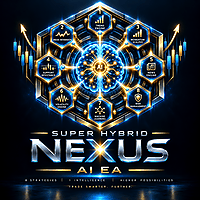
Nexus shows whether Strategy B or Strategy G is waiting, developing a setup, ready to trade or restricted by a protection layer.
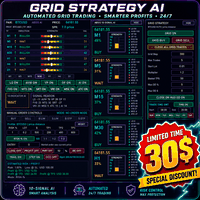
The Nexus dashboard brings strategy states, news and session status, account information and risk settings into a single monitoring view.
How analysis connects to trading: In Nexus, the Central AI Brain provides analysis and visualization. Trade execution remains governed by Strategy B, Strategy G and their configured protection rules. Manual products retain trader-controlled entries.
Explore Nexus and its two strategiesA MetaTrader 5 system for XAUUSD, GOLD and compatible broker symbol variations. Four named strategies—H, E, F and G—combine independent trading controls with a centralized risk and execution framework, automatic account-profile recognition, broker-time alignment, market-protection filters and an embedded Mimic Panel.
Attach an automated EA to its appropriate MT5 chart, confirm your initial lot size and risk controls, and enable Algo Trading. Its built-in logic handles the key operational settings and trade-management workflow.
The EA selects and manages its strategy's operating timeframes internally. Follow the product's recommended attachment chart; advanced timeframe controls remain available where supported.
Automatic broker-server time alignment and adaptation to supported broker trading conditions reduce routine setup. Confirm symbol and account compatibility before activation.
Entries, execution and ongoing trade management follow the EA's built-in strategy and enabled risk-management logic. Your initial position-size and protection choices still apply.
Super Hybrid EA AI Pro and Super Hybrid Ultimate support both 2-digit and 3-digit XAUUSD broker pricing, adapting to the supported quote format automatically.
Setup and compatibility notes supplied by the developer. These automation benefits describe the automated EAs, not autonomous entries for the manual trading tools. Minimal setup does not remove the need for broker checks, risk settings and demo testing.
This website is a product showcase. It never collects payment details, unlocks software, distributes EA files or substitutes for MQL5 licensing.
Explore the EA collectionRead the strategy, settings, supported market and highlighted risk before choosing.
The Buy on MQL5 button opens that product's official Market listing in a new tab.
Complete payment, licensing, download and terminal installation through your MQL5 account.
Validate broker compatibility and settings in Strategy Tester and a demo environment.